
GoreBox Beginners Guide | Getting Started Safely
New to GoreBox APK? Learn how to start safely, set up your first session, understand the sandbox, and adjust controls and graphics before you experiment.

How saving works for GoreBox worlds on Android, with habits for naming, rotating saves, and protecting your builds from accidents, updates, and device problems.
In a mission-based game, progress is the story. In GoreBox, progress is the world itself: the structures you built, the scenes you arranged, the experiments you staged. Losing a save means losing hours of arrangement that no replay can reproduce exactly, which makes save habits the closest thing the game has to insurance.
The good news is that insurance is cheap. A naming habit and a rotation habit, costing seconds, protect nearly everything a sandbox player creates.
Name saves by content and date in words you will understand in three months: the project, the map, and a version number when a build evolves. 'World 7' tells you nothing in October; 'Harbour build v3' tells you everything at a glance.
Keep one clearly marked experimental save for tests and settings trials, so experiments never happen inside a world you care about. Separation is the whole trick: valued worlds for building, scratch worlds for risk.
Before a major demolition, a big new structure, or trying an update's new features in an old world, save a fresh copy under a new name. Rotating saves turn every risky idea into a free experiment, because yesterday's version is always one load away.
This single habit changes how boldly people build. Players who rotate saves attempt ambitious projects; players who overwrite one save learn caution the hard way, once.
Keep in mind:
Game updates occasionally change systems that old saves depend on. The safe routine around any update is simple: before updating, make a fresh copy of your important worlds under today's name, then update, then load one copy and look around before trusting the rest.
If an old world misbehaves after an update, do not keep saving over it in hope. Keep the pre-update copies untouched, play in a copy, and let the original remain as evidence and fallback. The backup guide on this site covers device-level protection as well.
If a world crashes on loading, restart the phone and try once more before panicking; transient memory problems imitate corruption. If it still fails, load its previous rotated version. This is the moment the rotation habit pays for every second it ever cost.
Avoid downloading save files or world files offered by strangers. A sandbox world is data from an untrusted source, entirely apart from the game's own trusted install, and no build is worth importing someone else's problem.
GoreBox saves deserve the few seconds they ask: descriptive names, a scratch world for risk, and a fresh rotated copy before big changes and updates. Those habits convert accidents from disasters into anecdotes, and they make players braver builders.
Download GoreBox APKNew to GoreBox APK? Learn how to start safely, set up your first session, understand the sandbox, and adjust controls and graphics before you experiment.
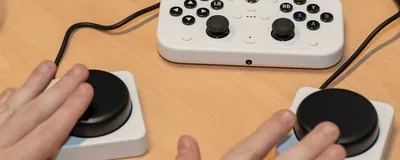
Set up GoreBox touch controls on Android for comfortable sandbox play, covering layout, sensitivity, button size, and testing adjustments in a safe practice world.
Choose GoreBox graphics settings on Android that balance clarity and smoothness, covering resolution, effects, shadows, and how to test changes without overheating your phone.